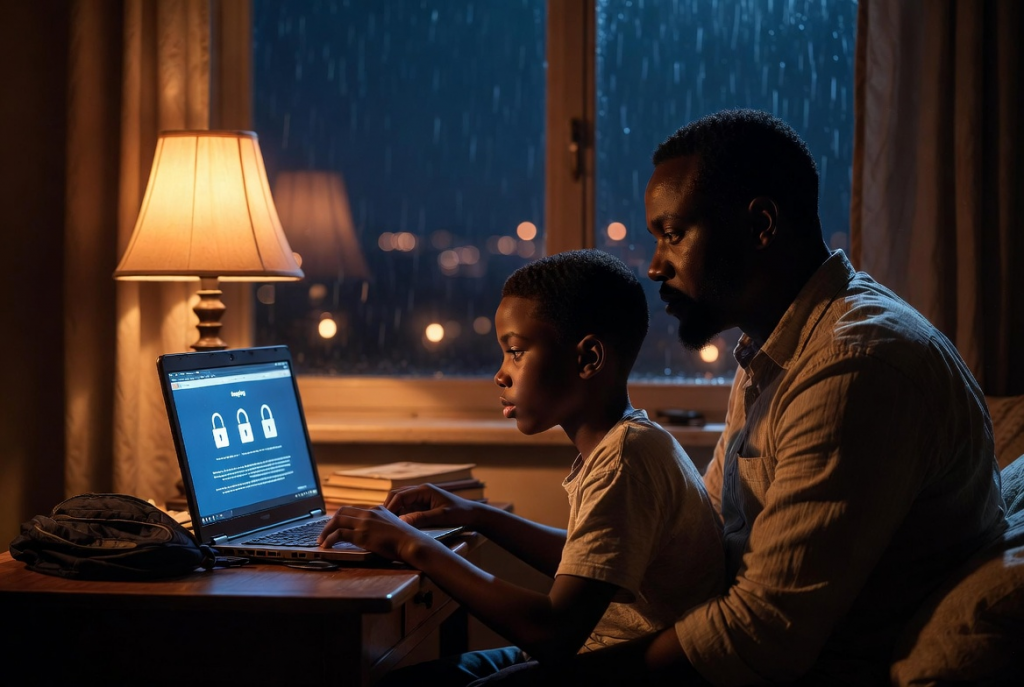
The essential guide every family needs in our connected world
It started with a simple family photo.
Nine-year-old Ada beamed as she showed her mom the picture she had just posted on a kids’ drawing app. “Look, Mummy! I shared our holiday photo so my friends can see how much fun we had at the beach!”
Her mother smiled at first — until she looked closer. In the background of the innocent beach selfie were clear details: their house number on the gate, the name of Ada’s school on her backpack, and even the street sign visible behind them. Ada had also tagged the location and written, “Best day ever with Mummy and Daddy in Port Harcourt!”
That evening, after a long talk, Ada learned her first big lesson about online privacy. What seems like harmless sharing can accidentally reveal far more than we intend — and once it’s online, it’s nearly impossible to take back completely.
This is the story of many families today. Children are growing up with tablets, phones, and social apps before they can fully understand the risks. Parents often feel overwhelmed, unsure how to explain privacy without scaring their kids or sounding too strict.
Here’s a gentle, practical guide told through real-life moments every parent and child can relate to.
The Day Chidi’s Game Almost Cost Him Everything
Eleven-year-old Chidi loved his favorite online game. One afternoon, a friendly pop-up appeared: “Create your profile and win 500 bonus coins!” It asked for his full name, age, school, and even his email.
Excited, Chidi started typing. Luckily, his older sister walked in and stopped him. “Wait — why does a game need your school name?”
That night, the whole family sat together. Chidi’s dad explained it simply: “Think of your personal information like treasure. You don’t leave your treasure chest open for strangers to see. Online, your name, address, school, and photos are that treasure.”
They practiced together:
- Creating a strong, unique password (not “password123” or his birthday)
- Using a nickname instead of his real name in games
- Turning off location sharing
Chidi changed his profile that evening. He felt proud — like he had just unlocked a secret superpower.
What Every Child Needs to Know About Online Privacy
Parents, you don’t need to become tech experts overnight. Start with these core ideas, explained in ways kids understand:
1. Your Digital Footprint is Forever Imagine every photo, comment, or video you post leaves a trail of footprints in the sand. Even if you delete it later, someone might have already saved or shared it. Teach children: “Before you post, ask yourself — would I be okay if my teacher, grandmother, or future boss saw this?”
2. Not Everyone Online is Your Friend Kids need to know that behind a cute avatar or friendly message could be a stranger. Simple rule: Never share your real name, address, phone number, school, or photos that show where you live with people you don’t know in real life.
3. Strong Passwords Are Like Secret Keys Make it fun! Compare passwords to magic keys that only you and your parents should know. Teach kids to use long phrases (like “BlueElephantDances2026!”) and never share them — not even with best friends.
4. Privacy Settings Are Your Invisible Shield Show children how to check privacy options on apps and games. Many platforms have “private” or “friends only” modes. Make it a family habit: review settings together every few months as kids grow older.
5. Think Before You Click or Share Teach the “Stop, Think, Ask” rule: Stop → Think if it feels safe → Ask a parent or trusted adult if unsure. This simple pause prevents most accidental privacy slips.
A Family That Learned Together
In one Rivers State household, the parents turned privacy lessons into a monthly “Family Digital Safety Night.” They play games like “Spot the Risk” — looking at example posts and deciding what’s safe to share.
The children created their own “Privacy Promise” poster:
- I will use nicknames online.
- I will ask before posting photos.
- I will keep my location private.
- I will tell Mum or Dad if something feels weird.
The best part? The kids started reminding their parents too — catching Mom when she accidentally left location services on for a shopping app.
Practical Tips for Parents
- Start Early and Keep It Age-Appropriate: With young children, focus on “stranger danger” online. With older kids, discuss reputation and long-term consequences.
- Use Real Examples: When a news story about data breaches or scams appears, talk about it calmly at dinner.
- Set Clear Family Rules: Agree together on what can and cannot be shared. Review them as children get older and want more independence.
- Monitor Without Spying: Use parental controls as training wheels, not permanent surveillance. The goal is to build trust and good habits.
- Lead by Example: Children watch what parents do. If you overshare or ignore privacy settings, they will too.
The Peace of Mind Every Family Deserves
Online privacy isn’t about fearing technology — it’s about using it wisely and joyfully while staying protected.
When children understand privacy, they gain confidence. They can enjoy games, chat with friends, learn online, and create content without constant worry.
Parents gain peace of mind knowing they’ve equipped their kids with essential life skills for the digital age.
Remember Ada and her beach photo? After that conversation, she became the family’s “privacy checker.” She now proudly asks, “Is this okay to post?” before sharing anything. And the whole family feels safer and closer because of it.
Online privacy is not a one-time talk. It’s an ongoing conversation that grows with your child — just like teaching them to look both ways before crossing the street.
Start today with one small step: open an app together, explore the privacy settings, and talk about why they matter.
Your children will thank you one day — not just for keeping them safe, but for giving them the wisdom to navigate our connected world with confidence and care.
Smart Teacher • 2026 Protecting childhood in the digital age, one wise choice at a time.