Smart Teacher Online Blog – Keeping Families Safe and Smart in the Digital World.
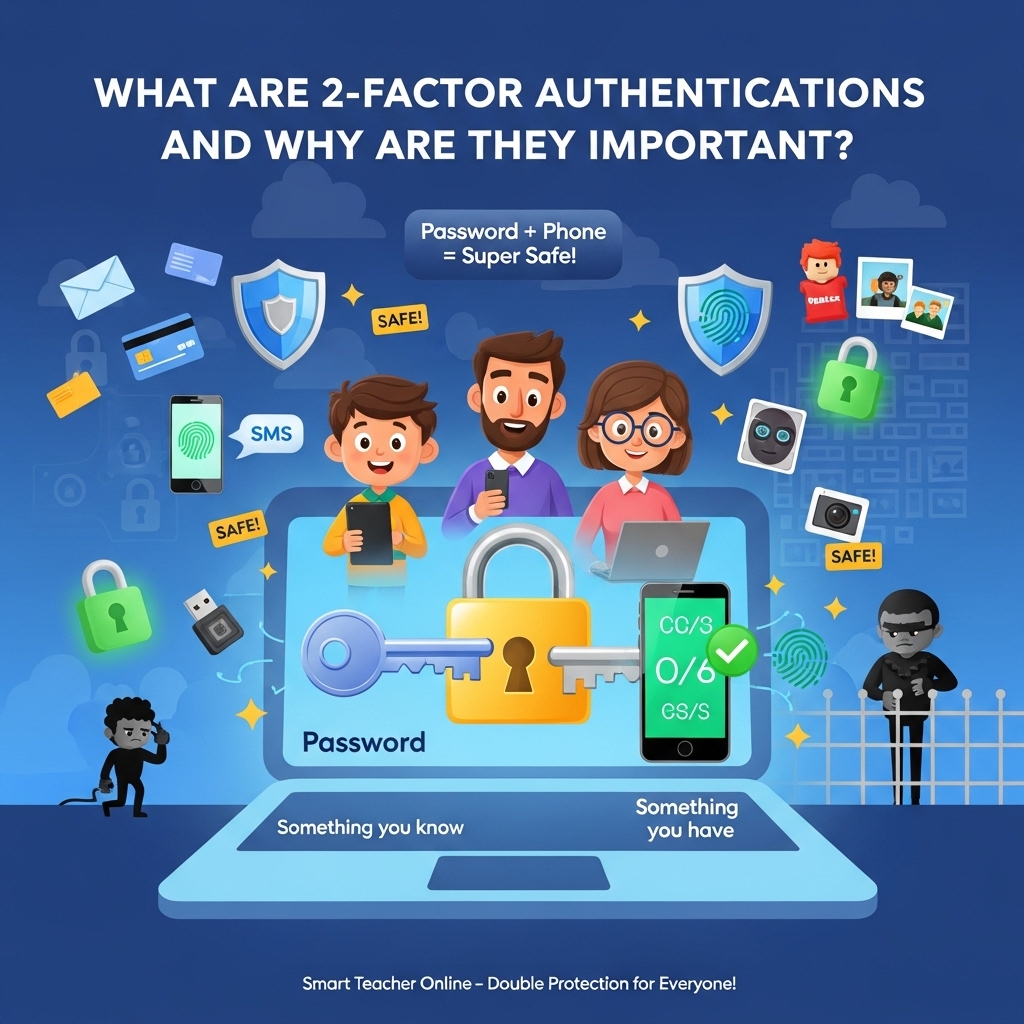
Hey there, Smart Teacher readers! Whether you’re a curious kid logging into your school tablet, a busy parent checking family emails, or a professional handling important work files, online safety matters to all of us. Imagine your online accounts like a treasure chest full of precious things – photos, homework, bank details, and special messages. A simple password is like one lock on that chest. But what if someone guesses it or steals it? That’s where 2-Factor Authentication (2FA) comes in – it adds a second, super-strong lock that only YOU can open!
Today, we’re diving deep into what 2FA really is, how it works in easy steps, the different ways it keeps you safe, and why every child, parent, and grown-up should turn it on right now. We’ll use simple words, fun examples (think superhero shields!), and real-life tips so everyone can understand and start using it today. Let’s unlock the secrets of safer internet together!
What Exactly Is 2-Factor Authentication (2FA)?
2FA (also called two-step verification or dual-factor authentication) is like a double-check system for your online accounts. Instead of just typing a password (which anyone might guess or steal), 2FA asks for two different proofs that you are really you.
Think of it like entering your house:
- First, you use your house key (that’s your password – something you know).
- Then, you need a second thing – maybe a secret code from your phone or your fingerprint (something you have or are).
This “something you know” + “something else” makes it much harder for bad guys (called hackers) to break in. Kaspersky experts explain that 2FA protects your username, password, and everything inside your account by adding this extra layer. It’s now used by banks, email services like Gmail, social media, school apps, and even gaming accounts. Without 2FA, one stolen password can open everything – yikes!
How Does 2FA Work? Super Simple Step-by-Step
Here’s exactly what happens when you log in with 2FA (don’t worry – it’s quick and easy!):
- You open an app or website (like your email or Roblox).
- You type your username and password (the first factor).
- The website checks if they’re correct.
- Then it says, “Prove it’s really you!” and asks for the second factor – maybe a code sent to your phone, your fingerprint, or a quick face scan.
- You provide it (on your phone or device).
- Boom! The door opens and you’re safely inside.
If a hacker steals your password from somewhere else (like a big data leak), they still can’t get in without that second proof. It’s like a superhero team-up: Password + Extra Shield = Victory!
The Different Types of 2FA – Like Superhero Tools!
There are several cool “factors” you can choose from. Here are the main ones explained simply:
- Knowledge Factor (Something You Know): Your password, a PIN, or answering “What’s your favourite colour?” (but this alone is weak – hackers can guess or steal it).
- Possession Factor (Something You Have): A code texted to your phone (SMS), a special app like Google Authenticator that shows a changing number, or a little key-shaped USB token. Most people start with phone codes – easy for kids and parents!
- Biometric/Inherent Factor (Something You Are): Your fingerprint, face scan (like on iPhones), or even voice! Super convenient – no need to remember extra stuff.
- Location or Time Factor: The app checks “Are you logging in from home or school?” or “Is this during normal hours?” (Great for family accounts).
- Behavioral Factor: Smart systems learn how you usually type or move your mouse and flag anything weird.
Most 2FA uses two different types (e.g., password + phone code). This is stronger than just “multi-factor” which might use more than two.
2FA vs MFA: 2FA is exactly two factors. MFA (Multi-Factor Authentication) can be two or more. Both are awesome – start with 2FA!
Why Are 2-Factor Authentications So Important? (The Big Reasons)
Passwords alone are like a paper lock – they break easily! Hackers use tricks called phishing (fake emails), data breaches, or guessing games. One click on a bad link and poof – your account is gone.
Here’s why 2FA is a game-changer for everyone:
- Stops thieves in their tracks: Even if they have your password, they need your phone or fingerprint. No more stolen Roblox accounts or family photos!
- Protects kids online: School Google Classroom, YouTube Kids, or Fortnite – 2FA keeps strangers out. Parents can sleep easy knowing homework and chats stay private.
- Safeguards money and work: Banks, online shopping, and office emails stay safe from “identity theft” (when bad guys pretend to be you).
- Extra shield against scams: Phishing and viruses can’t easily bypass the second step.
- Builds trust: Companies and schools using 2FA show they care about your safety.
- Real-life power: Kaspersky notes it reduces fraud, protects social media, stops online banking theft, and even helps businesses follow safety rules.
Stats show that turning on 2FA blocks 99% of automated attacks! For families, it’s like putting a strong gate around your digital playground.
Is 2FA Perfect? Honest Talk + Pro Tips
Nothing is 100% unbreakable, but 2FA is way stronger than nothing. Some hackers try “smishing” (fake texts asking for your code) or send too many requests to trick you.
Smart Tips for All Ages:
- Prefer apps (Google Authenticator) or fingerprints over plain SMS texts – they’re tougher to steal.
- Never share your 2FA code with anyone (even if they say they’re from “support”).
- Use it on EVERY important account: email, bank, school, games, and social media.
- For iPhones and Androids: Turn on Face ID or fingerprint for extra ease.
- Gaming fans: Enable 2FA on PlayStation, Nintendo, and Steam – protect your skins and payment info!
How to Turn On 2FA Right Now (Easy Guide for Families)
- Log into your account settings.
- Look for “Security” or “Two-Factor Authentication.”
- Choose your method (phone number, app, or biometric).
- Follow the quick steps – it takes 2 minutes!
- Test it once so you know it works.
Start with your main email – it’s the key to everything else!
Real-Life Examples Everyone Can Relate To
- Kids: Logging into Minecraft or school Zoom with password + phone code sent to Mum’s phone.
- Parents: Online banking or Amazon shopping stays safe even if your password leaks.
- Professionals: Work email or Google Drive protected during remote meetings.
Even gaming consoles need it – hackers love stealing game accounts!
Final Thoughts: Turn On 2FA Today – Be a Digital Superhero!
2-Factor Authentication isn’t complicated tech talk – it’s your family’s everyday shield in a world full of online adventures. It keeps kids safe while learning, parents worry-free, and professionals focused on work. As Kaspersky reminds us, passwords aren’t enough anymore. One extra step can stop big problems before they start.
Action Time! Go check your accounts right now. Turn on 2FA everywhere possible. Teach your kids why it matters (make it a fun family game!). Share this blog with friends and colleagues.
Stay safe, stay smart, and keep exploring the internet with confidence! Have questions? Drop them in the comments below.
Written for Smart Teacher Online – Because every click should be safe and smart.